Tree inventory for the 21st century. Faster, easier, paperless.
Dendrobot is a field application for inventorying trees, shrubs and vegetation groups. Work conveniently on a smartphone, tablet or computer, adding objects to the map together with measurements, photos and notes. The collected data goes directly into your project and is ready for export and further processing.
Trusted by professionals, public authorities and designers
See what fieldwork really looks like
This is the actual Dendrobot interface on smartphones and tablets. Fast touch controls designed for bright sunlight and demanding field conditions.
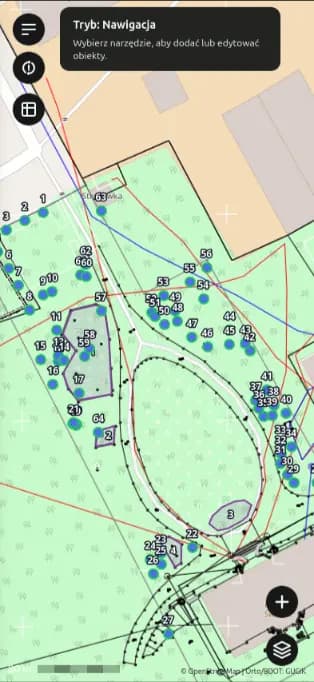
Survey map overlaid on the base map
Color themes and an interface optimized for fieldwork. Tap the right location to instantly open the form and enter the tree data.
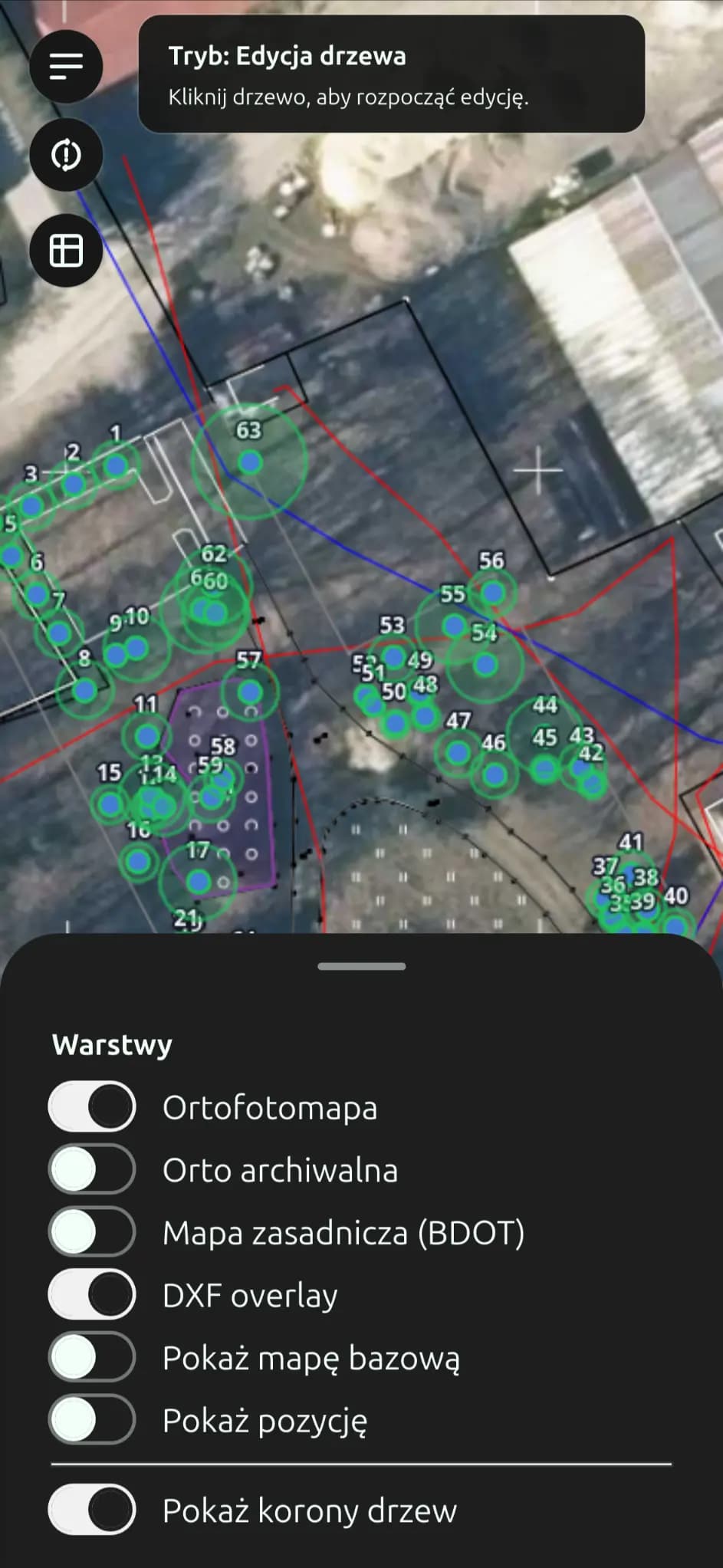
Manage layers and DXF/BDOT basemaps
Switch with a single tap between current and historical orthophotos, survey maps (BDOT), CAD project overlays (DXF) and tree crown polygons.
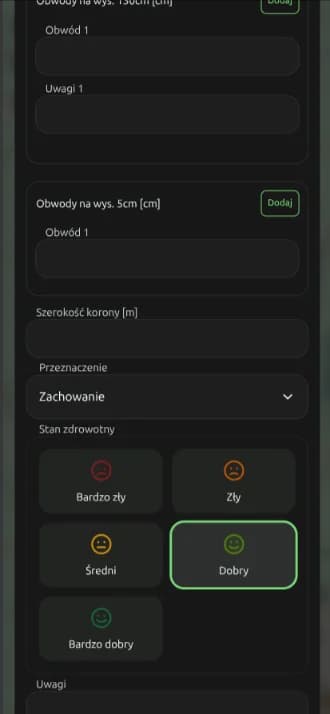
Tree assessment form and vitality evaluation
Record circumference measurements, including measurements at 5 cm and multi-stem trees, crown dimensions, management decisions such as retention or removal, and quickly assess tree condition using an intuitive visual panel.
How Dendrobot works
From a point on the map to complete field data
Create a project, open the map and add trees or shrubs exactly where they are located in the field. Each object has its own form containing measurements, species, health condition, notes and photos.
1. Create a project
Each site, development or assignment has its own workspace. Keep maps, layers, trees, shrubs, photos and measurement data together in one project.
2. Add objects to the map
Choose an object type: tree, tree group, shrub or shrub group. Tap its location in the field, confirm it and complete the form. You can use map baselayers, orthophotos and your own DXF layers.
3. Complete the data
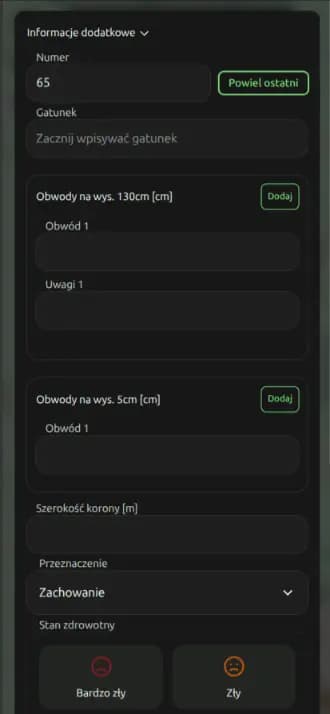
Record the number, species, circumference, crown width, health condition, notes and photos in the form. Everything is automatically assigned to the correct point or area on the map.
4. Export your data
Once the inventory is complete, you can export all collected data to XLSX, DXF, GeoPackage or a ZIP archive with photos. This makes further analysis and documentation preparation much easier.
Designed for demanding field conditions
Forget about losing connection in dense forests, draining your battery with bloated software or dealing with hundreds of unorganized photos on your phone.
Works without internet access. In forests, valleys and remote areas.
The app can cache map tiles before you head into the field. Coordinates, circumference measurements, health assessments and photos are stored directly on the device. Once you are back online, Dendrobot quietly synchronizes your data.
No more juggling a camera and notebook
Before: measuring tape in your hand, camera around your neck, paper map and a spreadsheet. With Dendrobot, you take a photo directly from the tree record and all parameters stay permanently linked to the correct object.
Complete your data quickly and easily
The form is designed to keep typing to a minimum. Quickly select the species, enter measurements, tree condition and other information, and the data is immediately assigned to the correct object on the map.
Seamless integration with CAD, QGIS and surveying workflows
Generate DXF files with point blocks, crown extents and numerical layers using PL-2000 and PL-1992 coordinate systems. Upload DXF basemaps to view proposed roads, buildings and other project elements directly in the field.
Why is the traditional paper-based workflow becoming obsolete?
See how many hours of work and how much stress you can save when inventorying a typical development site with around 200 to 300 trees.
Notebook, camera and hours spent in Excel
- Double the work: rough notes taken in the rain, followed by hours of manually copying everything into a spreadsheet back at the office.
- Mixed-up photos: hundreds of unnamed JPG files on your phone, leaving you to guess which photo belongs to which tree.
- Manual CAD work: placing every point manually using coordinates and drawing every crown diameter by hand.
- Risk of losing your notes: no cloud backup, so a damaged or lost notebook can mean repeating the entire site visit.
Everything is ready before you even leave the site
- Instant database: complete an optimized touch-friendly form while validation takes care of the essential fields.
- Photos permanently linked: each photo becomes part of the relevant tree record and can include its location.
- Automatic CAD drawing: generate a DXF file with numbered points and crown polygons in just a few seconds.
- Cloud storage and backup: secure offline to online synchronization with instant access for project managers.
Want to try Dendrobot on a real project?
Complete the registration form, accept the terms, confirm your email address and start working immediately. There is nothing to install, everything works directly in your browser.
You can also use Safari or Chrome on your phone or tablet to add Dendrobot to your home screen and use it like a native app. Your data stays secure, and you can export your project at any time to GIS files, DXF, spreadsheets or a ZIP archive containing your photos.
Create an account!